Secrets in Git: How to Version Secrets Following Security Best Practices
Almost all our projects, if not absolutely all of them, handle sensitive information. Whether it's environment variable files (like .env) or others. Most of us commit these files to the repository in plain text, or we wait for the next developer to know what values to fill in by following the documentation (which, let's be honest, is often lacking), or we expect them to be able to "magically" —and by magic, I mean asking around the team— fill in that information.
Personally, I am tired of .env files that have no value because the variables are fake, or of not having my secrets versioned, which are necessary to deploy my application in any environment.
I think continuing to use that kind of strategy is a half-measure that generates friction, forces manual configuration of each environment, and often leads to outdated examples. My philosophy is different: I want to have the real files for each environment in the repository, with the exact information they will use, but with the absolute certainty that only those who should see them, can see them.
To achieve this without setting up complex security infrastructures, I've gone back to a veteran: git-crypt.
The Balance Between Security and Simplicity
 AGWA
AGWA
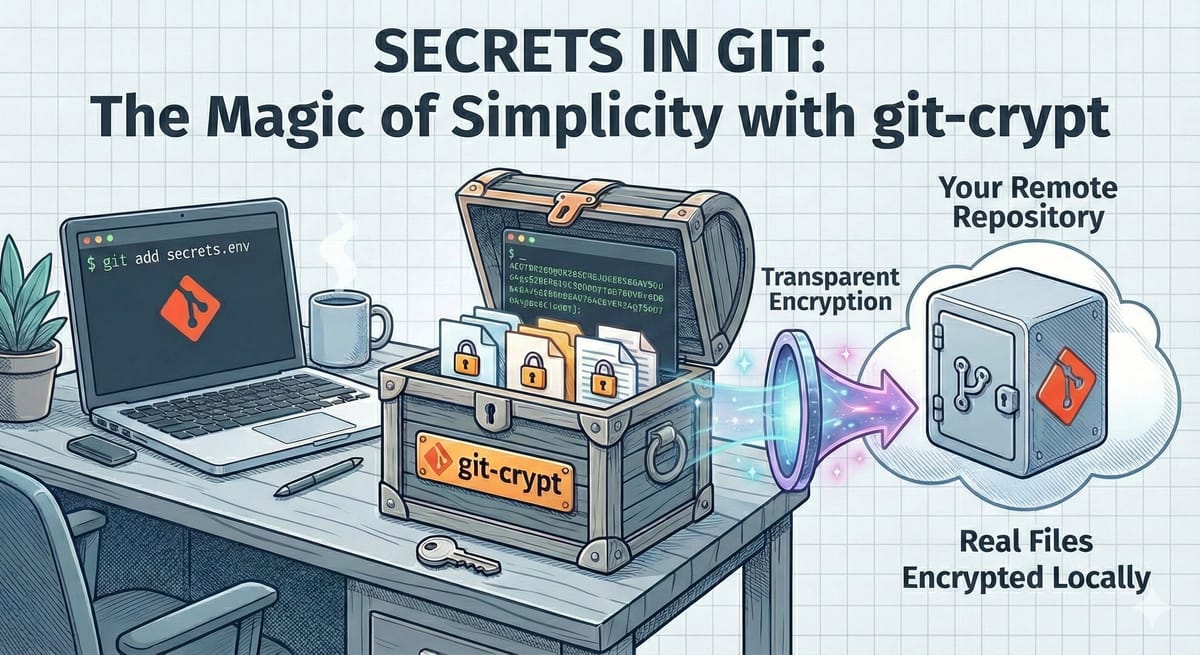
Git-crypt is not a cloud service or a complex database. It is a command-line tool that is installed locally and uses Git's own primitives to work. Its great advantage is that it doesn't require you to change how you work: you continue using git add, commit, and push as always. What makes git-crypt special is that it encrypts files before they leave your computer and decrypts them when they reach an authorized colleague's machine, without the remote git server (GitHub, Gitlab, etc.) ever seeing the actual content.
This allows what we know as transparent encryption. Unlike other tools that require manual encryption commands every time you make a change, git-crypt integrates into the heart of Git using filters:
- Clean Filter: When you add a file to the "stage", git-crypt encrypts it before it is saved in the Git database.
- Smudge Filter: When doing a "checkout" or "pull", the file is automatically decrypted so it is readable in your working directory.
This transparency means that on your machine you work with real files, but in the remote repository, the files are unreadable binary noise.
Considerations Before You Jump In
But all that glitters is not gold, and before you implement it, you must take into account three points that can be "deal-breakers" depending on your project:
- Git Conflicts (Merge Conflicts): By encrypting the entire file, Git treats it as a binary block. If two people modify the same
.envat the same time, you won't be able to do a line-by-line "merge"; you will have to choose a version or reconstruct the file manually. - Metadata Visibility: git-crypt hides the content, but not the filename or its existence. If someone enters your repo, they will know you have a file named
prod.db.env. - The "First Push" Risk: If you commit a file before configuring git-crypt, that secret is already in Git history forever, even if you encrypt it later. The initial configuration must be flawless.
How to Start with git-crypt in Your Project
Instead of instruction manuals, we define a .gitattributes file, where we add the patterns of the files that contain the truth of our system:
# .gitattributes
config/dev.env filter=git-crypt diff=git-crypt
config/prod.env filter=git-crypt diff=git-crypt
When configuring git-crypt to protect these files, you have two main paths. The quick option is the symmetric key: you generate a unique key file that you must share securely (password manager) with your team. It is ideal for quickly setting up a CI/CD server or for a personal project. However, the most robust and scalable option is to base security on digital identities.
For small teams, my recommendation is to use GPG. It allows authorizing specific people by name. If someone leaves the project, you simply stop adding their key in future secret rotations. It is simple, professional, and auditable.
The Next Step: Mozilla SOPS
If your project grows, the team increases to more than 5-10 people, or you start using Kubernetes intensively, you will notice that git-crypt's limitations (especially merge conflicts) start to bite.
When secret management becomes critical at that scale, the ecosystem offers three levels of solutions. At the peak of complexity are centralized managers like HashiCorp Vault, powerful but expensive to maintain. Then there are managed cloud services like AWS KMS or Google Secret Manager, which delegate custody. And finally, in the sweet spot between the simplicity of git-crypt and the power of the cloud, we find modern decentralized encryption tools.
At that moment, the logical next step is Mozilla SOPS.
 Trademarks
Why is SOPS the Professional "Big Brother"?
- Partial Encryption: SOPS understands the structure of your files (YAML, JSON, ENV). It does not encrypt the entire file, but only the values, leaving the keys visible. This allows resolving Git conflicts as if it were normal text.
- Native Cloud Integration: While git-crypt depends on you managing the keys, SOPS connects directly with AWS KMS, Google Cloud KMS, or Azure Key Vault. The server authenticates by its role, not by a key file you pass to it.
- Auditing: It is much easier to see what changed in a secret without needing to decrypt it first.
| Feature | git-crypt | Mozilla SOPS |
|---|---|---|
| Ideal for | Personal projects / Small teams | Cloud-native environments / Large teams |
| Conflict Handling | Difficult (Binary) | Easy (Text/Keys visible) |
| Complexity | Very low | Medium |
As you can see, SOPS is a powerful tool that covers git-crypt's shortcomings in large teams. Since its configuration and usage are more involved, I will dedicate an in-depth article to it soon to explain how to implement it step by step.
A Real-World Example with NestJS
So you don't just stay with the theory, I have created an example repository with a NestJS application that implements this workflow.
In this project nest-crud you will be able to see:
 The-Dave-Stack
- Multi-environment Management: How
.env,.env.stage, and.env.productioncoexist in the same repository, totally encrypted. - Transparent Integration: The
.gitattributesconfiguration so thatgit pushandgit pullhandle encryption/decryption without extra commands. - Dynamic Loading: How I configure NestJS's
ConfigModuleto load the correct environment file according toNODE_ENV.
It is a simple example but it lays the foundations for professional and scalable secret management without the complexity of external tools.
Conclusion
Not all projects need a military-grade safe from the first commit. git-crypt allows me to keep the "source of truth" within the repository, eliminating human error and maintaining agility. And if the project scales, we always have the door open to migrate to SOPS or another more powerful and complex alternative.